Can I buy extra baggage for a smart route?
Yes, baggage for a smart route can be added to the order during checkout or purchased after the order has been paid for.
During checkout at the booking stage
Available for airlines: Pobeda, Aeroflot, Ural Airlines, Nordwind, Yakutia, RusLine, Alrosa, Severstal, UTair, IrAero, Smartavia, Nordstar, Azur Air, Red Wings, Royal Flight, Norwegian Air, Condor, Aer Lingus, Frontier Airlines, FlySafair, RyanAir, Air Arabia, Spirit Airlines, Transavia, Transavia France, Easy jet, Vueling, Wizz Air, Wizz Air UK, SunExpress, Flynas, Scoot.
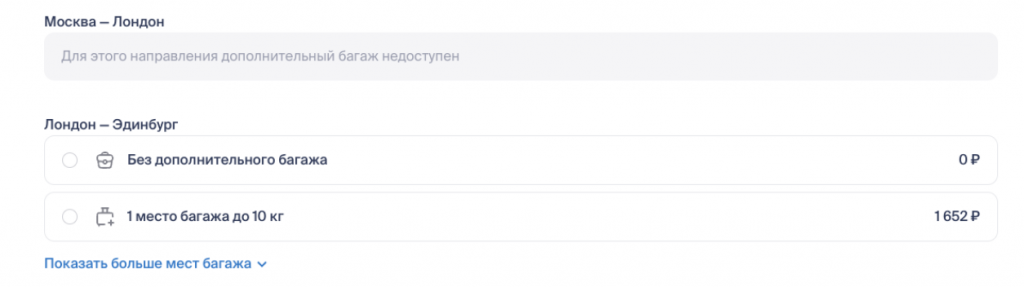
2. After payment on the order screen
Available for airlines: Pobeda, Rusline, Severstal, UTair, Yakutia, IrAero, Nordwind, Nordstar, Red Wings, Smartavia.
To purchase baggage after paying for the order, go to the order page in your Personal Account and find the Additional Baggage block. Next to the Add Baggage button, you will see the minimum price and weight of baggage that can be purchased for one part of the smart route.
After clicking Add Baggage, you will be able to select the required baggage weight for one or both parts of the route.
Please note: you are purchasing additional baggage for each individual part of the route, not for the entire flight.
You can read more about how to purchase additional baggage in these articles — about purchasing additional baggage on the website and purchasing in the app.