Where is my ticket?
We instantly send the itinerary receipt to the email address provided during booking. If the email is not in your «Inbox», we recommend checking your «Spam» folder.
A complete list of your orders and all related documents are always available in your Personal Account.
If you forgot your password or are unsure if you are registered on Kupibilet, use our instructions to find your Personal Account and recover your password.
You can also find and download your itinerary receipt on the Kupibilet website without logging into your Personal Account. This method is suitable if:
you urgently need the itinerary receipt and don't have time to restore access to your Personal Account;
you placed an order without registration and accidentally made a mistake when entering the email for receiving the ticket.
In the website header, click the Where is my ticket? button or go to the link from this article.

On the opened page, enter your phone number and the series and number of the document, as specified during booking, without spaces.
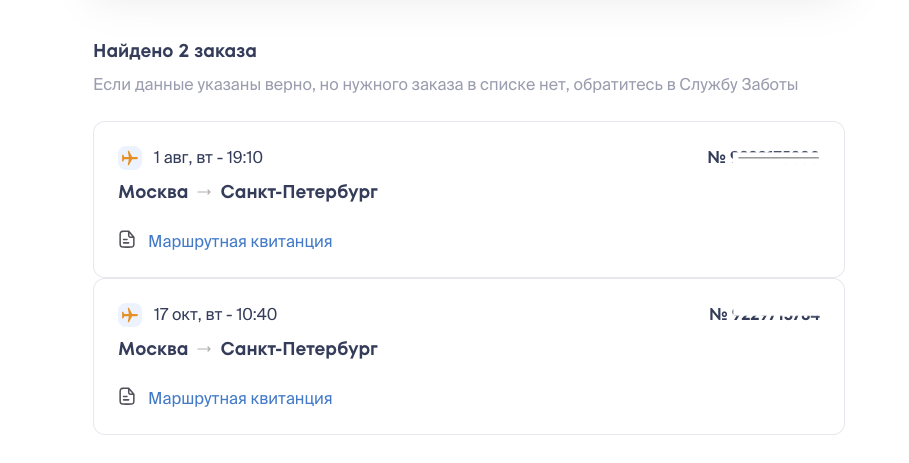
Click Find — a list of your orders with upcoming flights will appear.
Select the desired order and download the document by clicking Itinerary Receipt.
If the desired order is not in the list, but the data was entered correctly — submit a request on the order page, and we will help with the search.