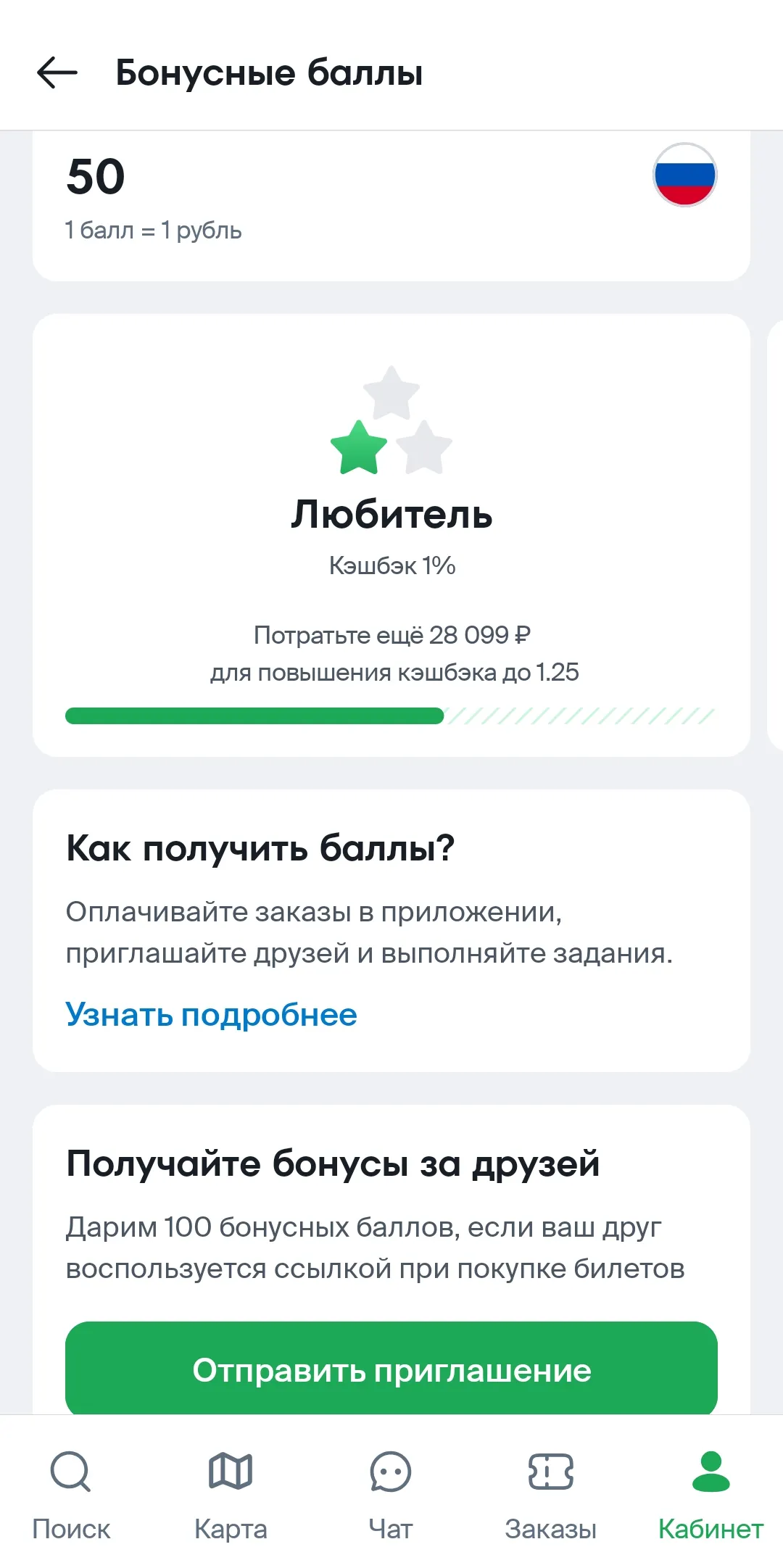
Where can I see how many bonus points I have?
You can see the number of points in several ways:
On the website
1. Go to your Personal Account and click its icon on the main page of the website.
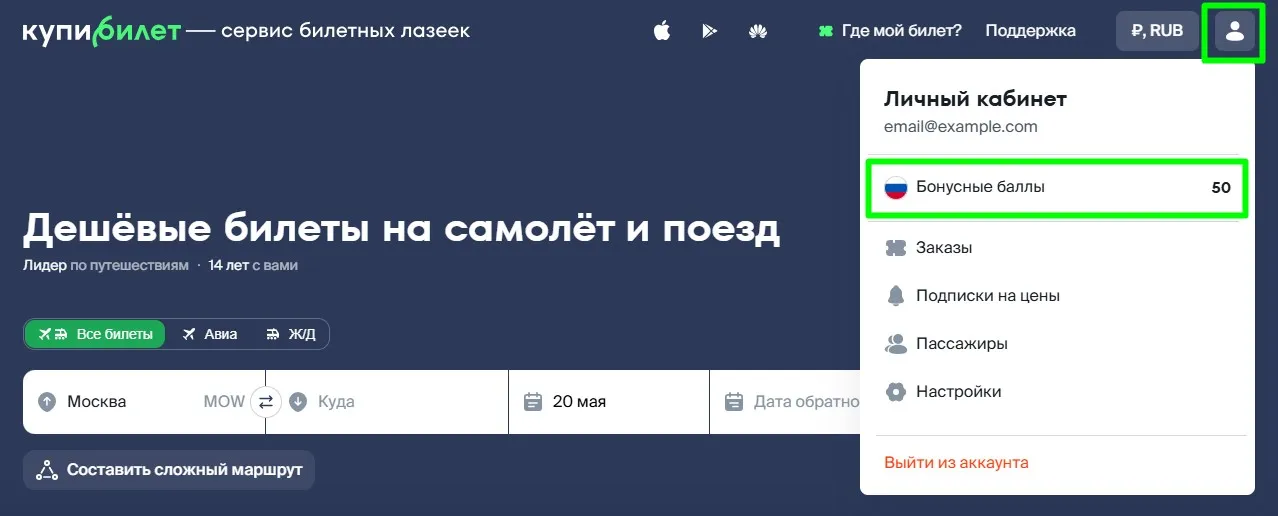
2. If you are already in your Personal Account, your bonus points will be displayed under the Personal Account label.
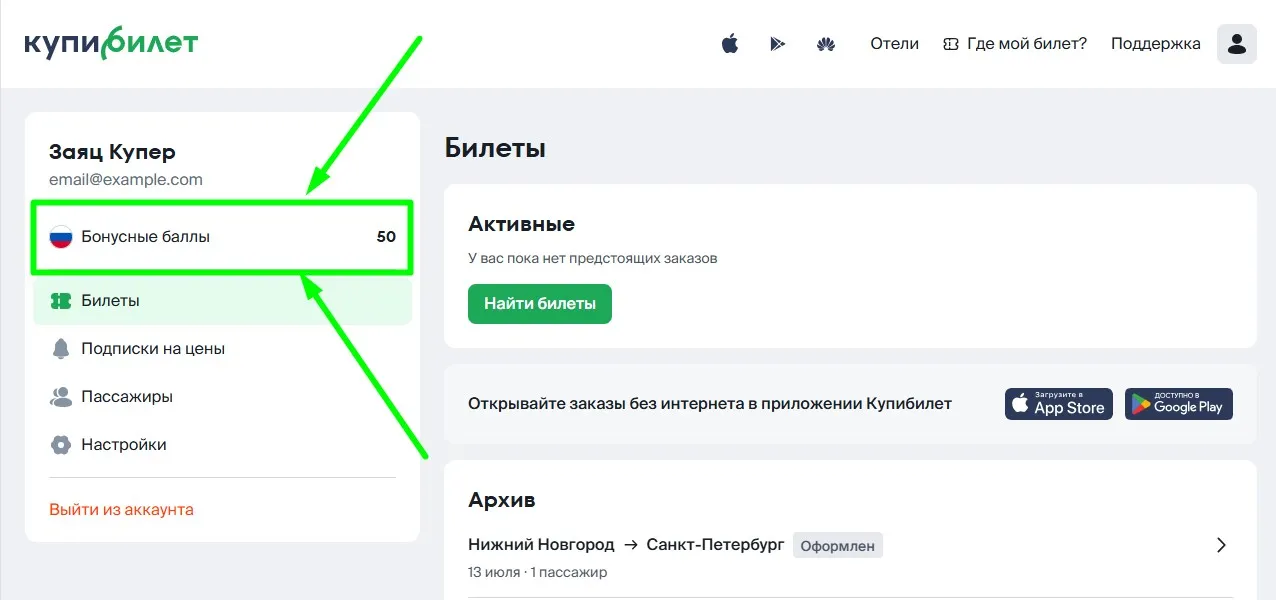
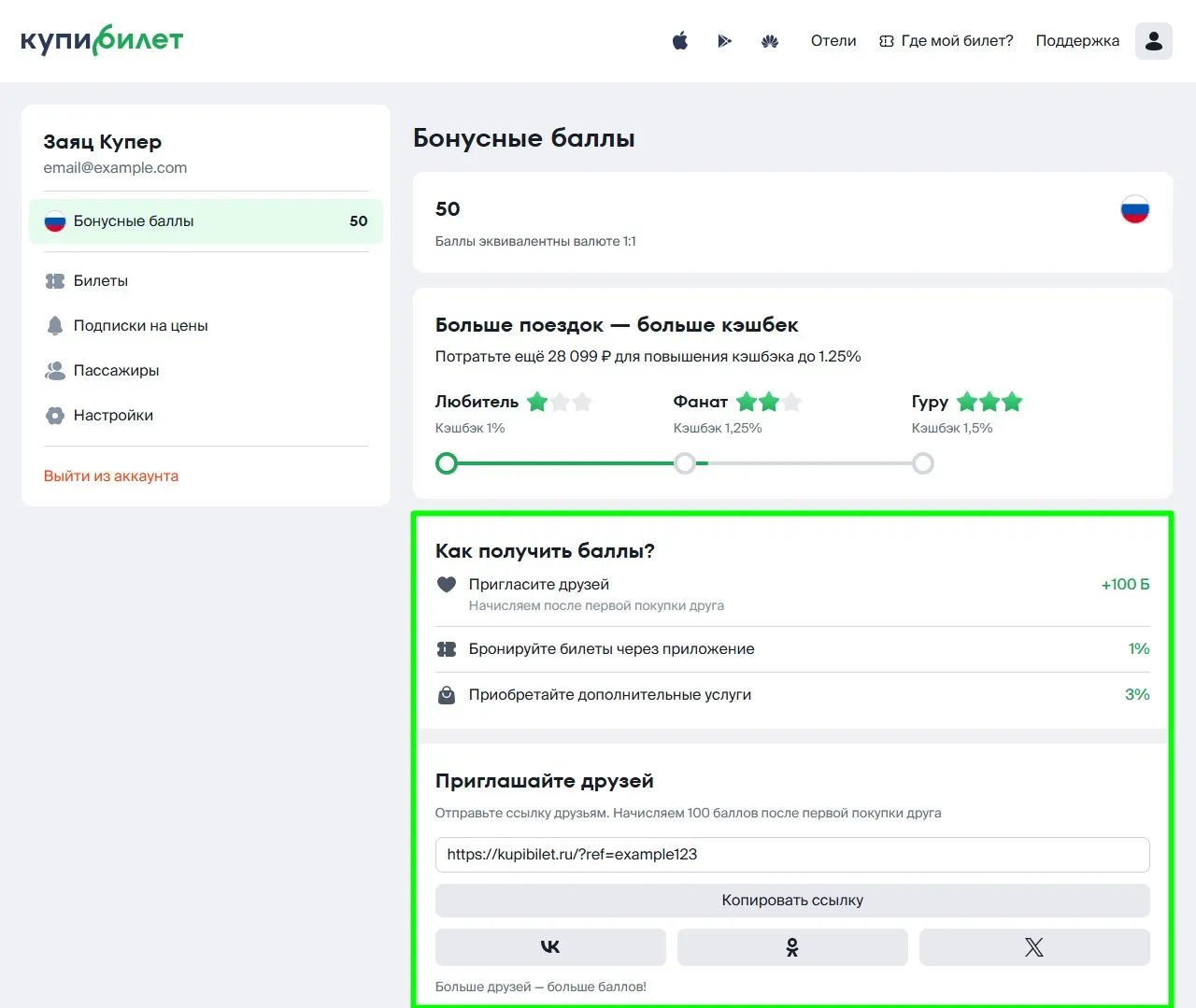
3. Click on the "Bonus points" («Бонусные баллы») link to find out how to get additional points.
In the app
1. Go to your Personal Account by tapping the icon in the lower right corner of the screen. Your status in the bonus program and the number of bonus points will be displayed under the block with your first and last name.
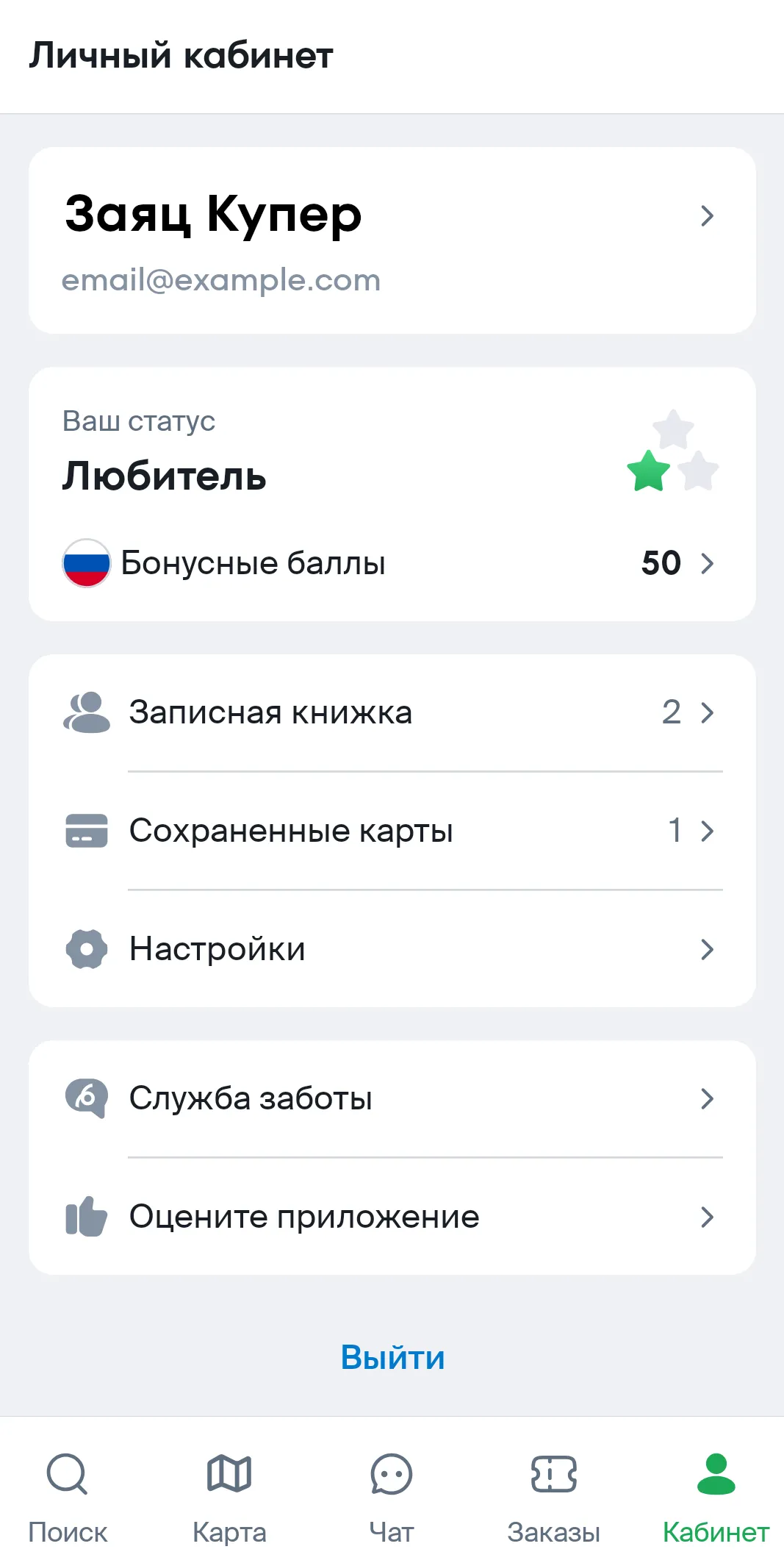
2. By tapping on the block with the number of points, you can see how to get additional points.