How to delete a social media account from your Personal Account?
On the website
1. Go to your Personal Account.
2. Go to the Settings tab and scroll down to the Social Media block.

3. Hover over the social network and click on the trash can icon that appears on the right.

4. After this, the social media account will be deleted from your Personal Account.
In the app
1. Go to your Account and click Settings.
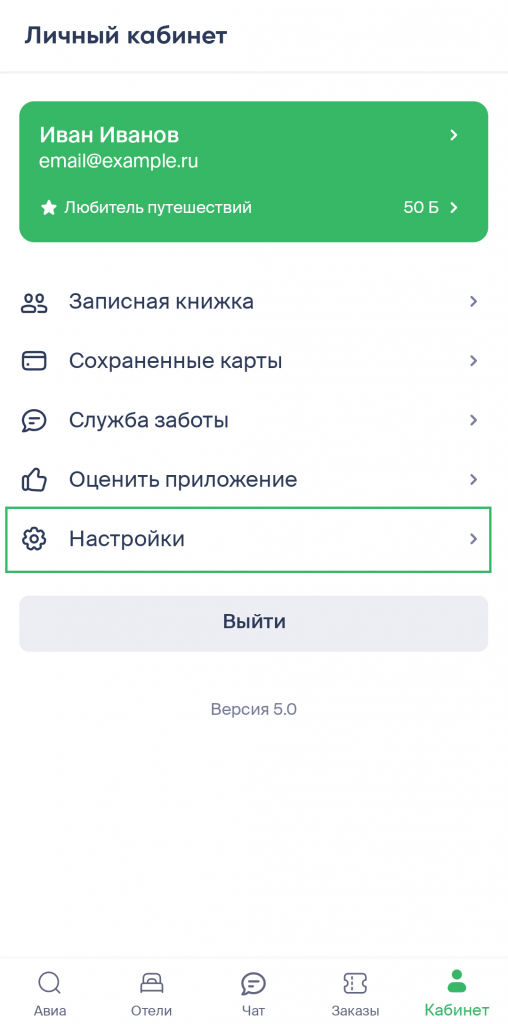
2. Scroll down to the Linked Accounts block and click on the cross icon next to the selected platform.
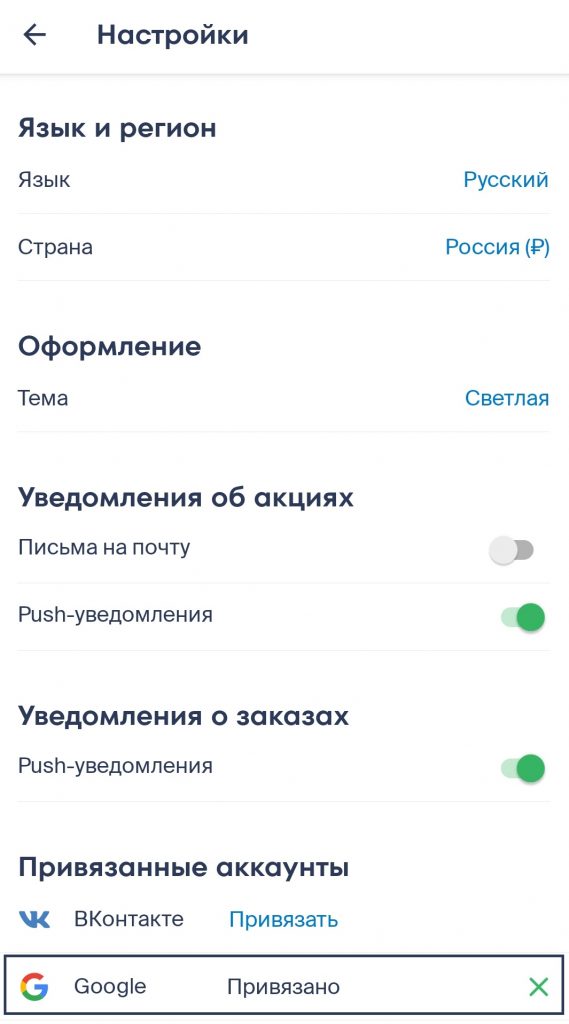
3. After this, the social media account will be deleted from your Personal Account.