Adding a free ticket for a child under 5 to an order
Now you can add a ticket for a child under 5 to an already created order.
You can only add a free ticket without a seat, and if the limit of 1 child per 1 adult in the order is met.
How to do it?
1. Go to your personal account on the website or in the app, open the order you need to modify.
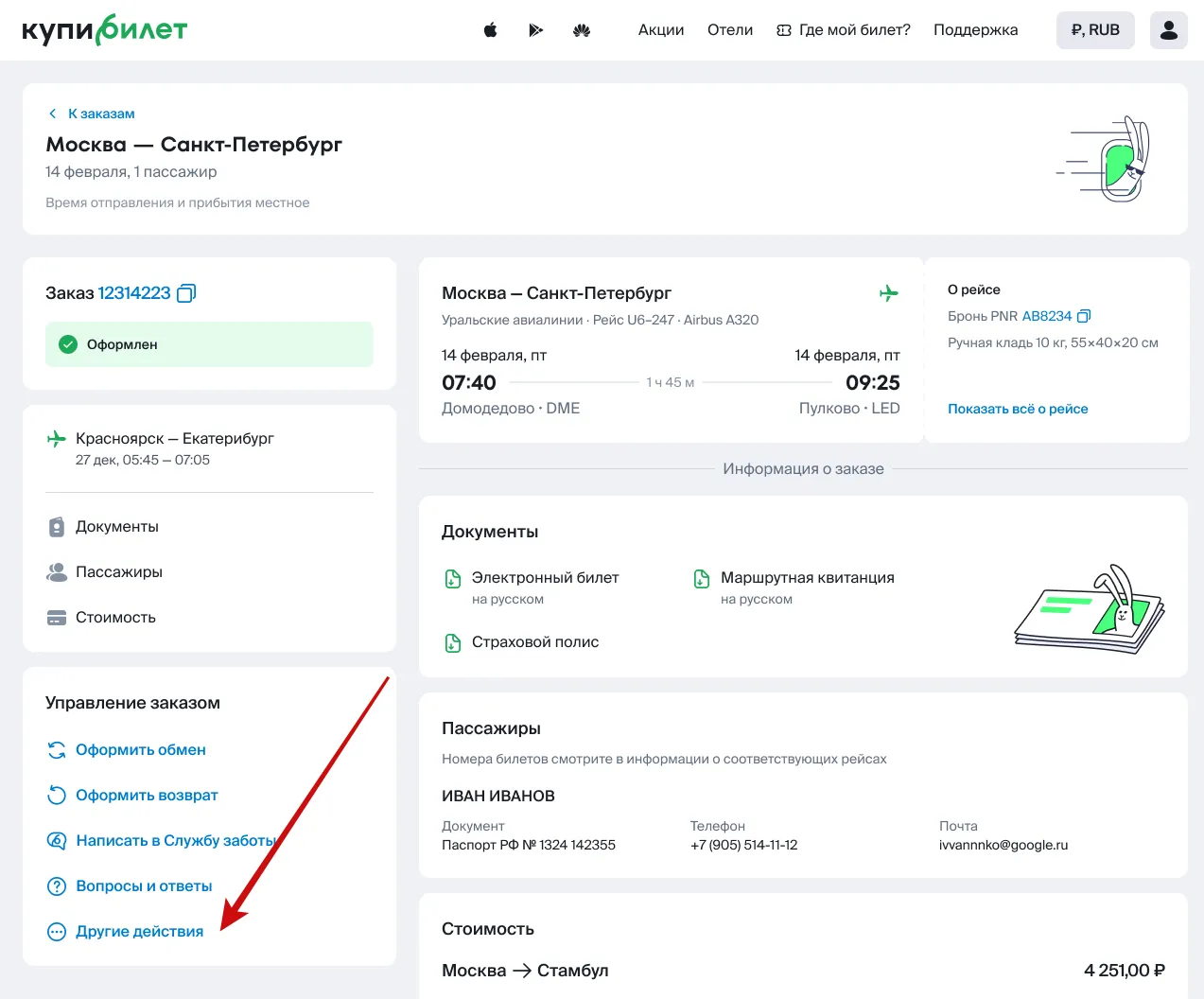
Find the “Order Management” block and within it - “Other Actions”.
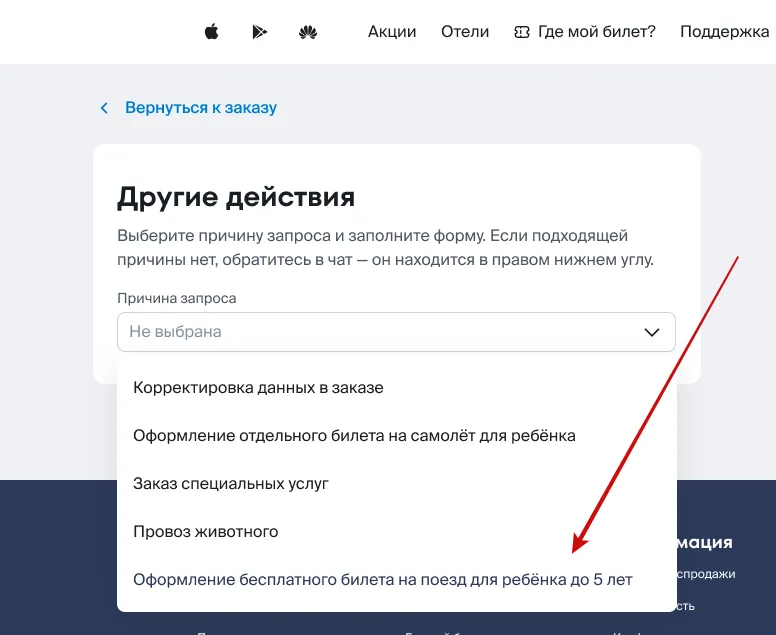
In the “Reason for request” menu, select “Issuing a free ticket for a child under 5”.
Select the route for which you need to make changes, and then - the adult to whom the child will be attached.
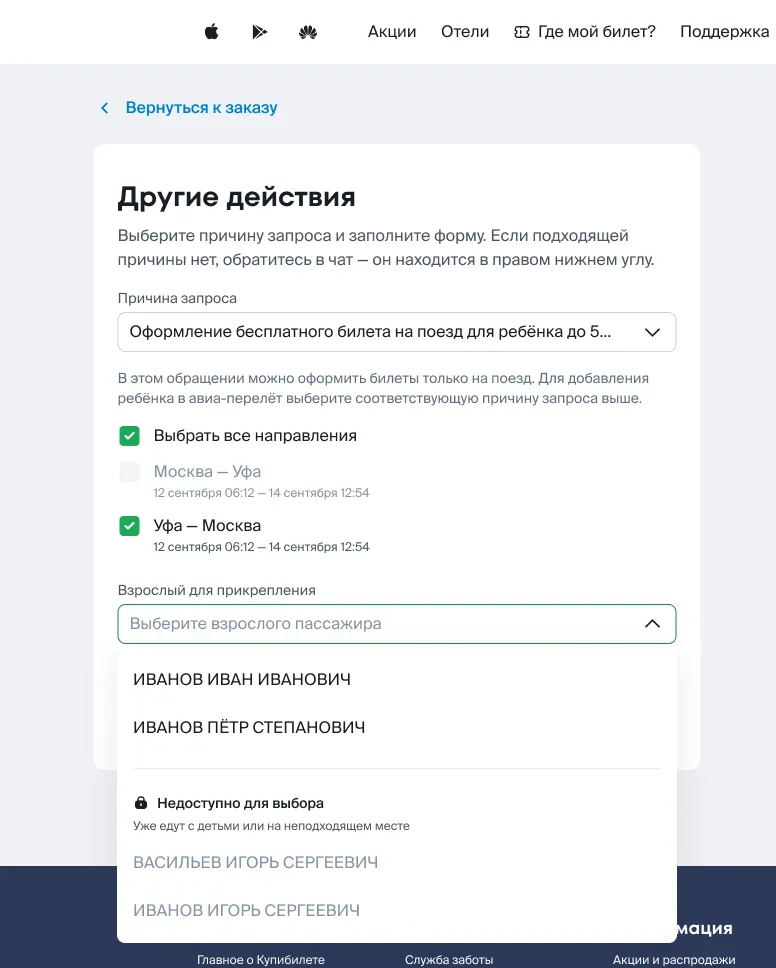
In the opened menu, enter the child's details and click “Issue ticket”.
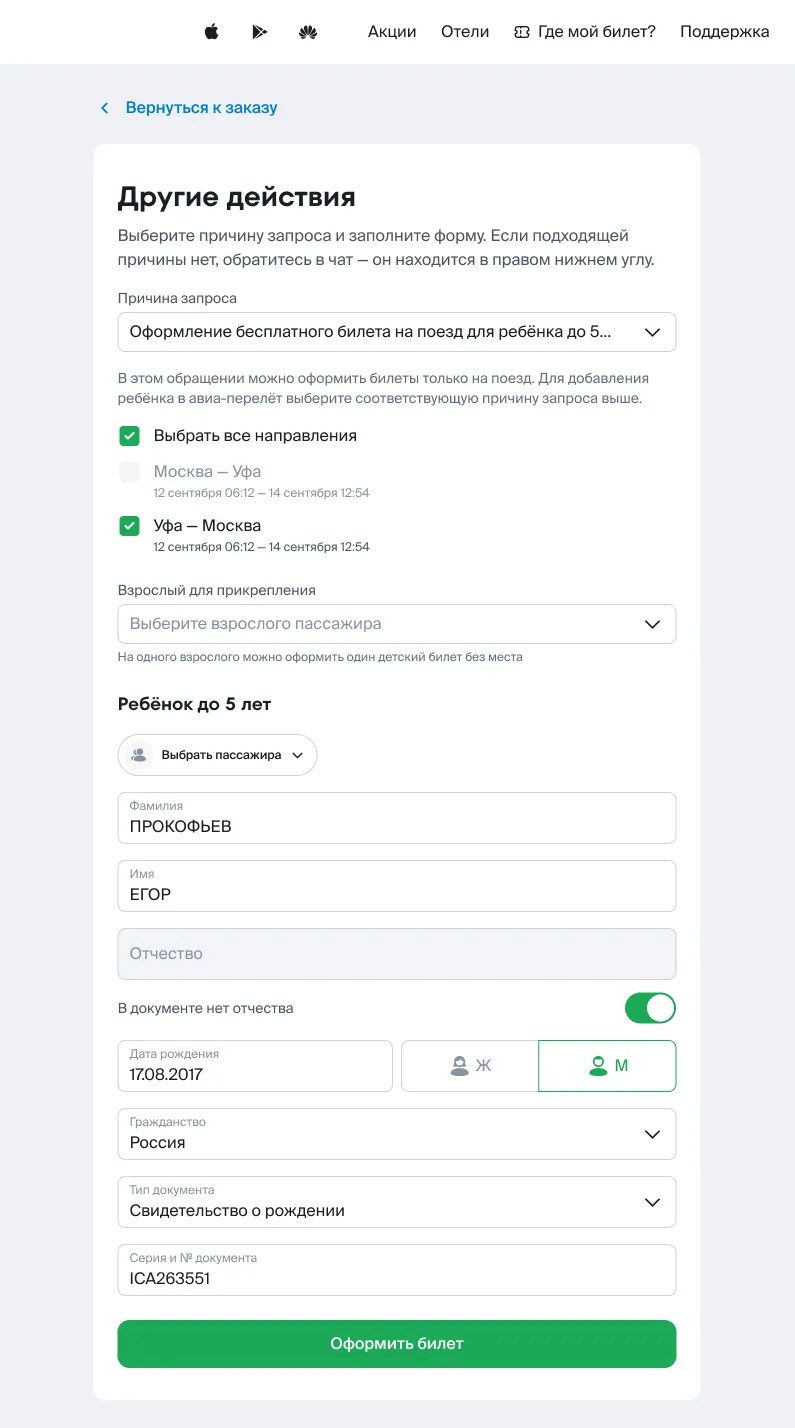
Done! After the request is processed, the child's ticket will be automatically added to the order.